What is AeroSpace?
AeroSpace arranges every window in a tree, the way i3 does on Linux: split a container and the space divides, move it and everything inside it follows. It is keyboard-driven and configured in a plain TOML file that lives in your dotfiles, with a CLI, manpages and shell completion rather than a preferences window. Two decisions define it. It emulates its own virtual workspaces instead of using native macOS Spaces, which the developer describes as too limited to build on. And it avoids private APIs, using exactly one, so it never requires disabling SIP. The project is in public beta: the developer says it works as a daily driver but that breaking changes should be expected until 1.0. It runs on macOS 13 or later, and it is not notarised — the Homebrew cask works around that by removing the quarantine attribute.
Verified product facts
- Type
- window managerEditorially reviewed
- Platform
- macOS
- Pricing
- Open sourceDeveloper-stated
- Open source
- Yes
- Relationship to Nuanyue
- Third-party product — not published by NuanyueEditorially reviewed
- Licence
- MIT
- Official website
- github.com/nikitabobko/AeroSpace
Last updated , last reviewed . Facts marked developer-stated come from the developer and are not independently confirmed; editorially reviewed marks a Nuanyue judgement.
Key features
What AeroSpace does at a glance.
Tiling window manager
Based on a tree paradigm
Fast workspace switching
Without animations
Its own emulation of virtual workspaces instead of native macOS Spaces
Plain text TOML configuration, dotfiles friendly
CLI first
With manpages and shell completion included
Does not require disabling SIP (System Integrity Protection)
Proper multi-monitor support following the i3-like paradigm
What you can use AeroSpace for
- Keeping a fixed window layout that survives opening and closing apps
- Switching between numbered workspaces without animation delays
- Keeping the same layout across several monitors
- Versioning the window manager's configuration with the rest of your dotfiles
- Driving window management from scripts through the CLI
Who is AeroSpace for?
- People who have used i3, sway or another tiling window manager and want that model on macOS
- Developers who would rather edit a config file than click through preferences
- Users who will not disable SIP for a window manager
Who is AeroSpace not for?
- Anyone who wants a GUI to configure layouts — the developer states there will never be one
- People who need native macOS Spaces integration; AeroSpace deliberately emulates its own workspaces instead
- Users who need stability guarantees — the project is in public beta until 1.0
- Anyone who wants window borders, transparency or animation
Limitations
- The developer describes the project as public beta: usable as a daily driver, but breaking changes should be expected until 1.0
- Not notarised; the developer states the Homebrew cask removes the quarantine attribute so it launches without a warning
- The binary runs on macOS 13 or later; building a release from source is supported on macOS 15 or later
- The developer states there will never be a GUI for configuration, and treats window borders, transparency and animations as non-goals
- Ricing support is deliberately minimal — gaps and a few callbacks for status bar integrations
- The project does not accept issues directly; the README asks for a discussion first
- Native macOS tabs are not supported yet, and the README lists that as work blocked on an upcoming refactor
Strengths and trade-offs
What AeroSpace does well, and what to weigh before choosing it. Points marked developer-stated come from the developer’s own material and have not been independently confirmed.
Strengths
- The tree paradigm is the core of it: windows are containers that split, so moving or resizing a branch carries everything under it instead of reflowing the screen.Developer-stated
- It avoids private APIs apart from one call used to get a window ID, which is why it does not require disabling SIP — the developer states SIP will never be a requirement.Developer-stated
- Workspace switching is instant, with no animation, and the workspaces are AeroSpace's own emulation rather than macOS Spaces.Developer-stated
- Configuration is a plain TOML file, so layouts and keybindings can be versioned with the rest of your dotfiles.Developer-stated
- CLI first: the project ships manpages and shell completion, which makes window management scriptable from a terminal.Developer-stated
- Multi-monitor support follows the i3 model, and the guide treats arranging monitors properly as a setup step.Developer-stated
Trade-offs
- Public beta, with the developer stating that breaking changes should be expected until 1.0 — configuration files, CLI and behaviour are all in scope.Developer-stated
- It is not notarised. The developer explains the position at length; the practical consequence is that the Homebrew cask has to strip the quarantine attribute to make the app launch normally.Developer-stated
- It does not integrate with native macOS Spaces — by design it ignores them and emulates its own workspaces, so anything that depends on Spaces behaves differently.Developer-stated
- No GUI for configuration, ever, by the developer's own statement — a feature for the target user and a wall for everyone else.Developer-stated
- Native macOS tabs are listed as unsupported, blocked on a core data-structure refactor the developer describes as still open.Developer-stated
Overview
Tiling window managers treat the screen as space to divide, not as a surface to stack things on. You do not drag a window to a corner; you tell the manager to split the current container, and the window goes where the split says.
AeroSpace brings that model to macOS with i3 as the reference. Windows live in a tree: a container splits horizontally or vertically, and moving or resizing a branch carries its children with it. If you have used i3, the vocabulary is already familiar. If you have not, the tree is the thing worth understanding before installing — it is what makes the layout predictable and what makes the first hour confusing.
Two Decisions That Define It
The first is workspaces. macOS Spaces are not used. AeroSpace emulates its own virtual workspaces, because the developer considers the native ones too limited to build a tiling manager on. The payoff is instant switching with no animation. The cost is that anything expecting native Spaces — a full-screen app, a Mission Control habit — behaves differently.
The second is private APIs. The project uses exactly one, to get a window ID from an accessibility object; everything else is public accessibility API. That is why AeroSpace never asks you to disable SIP, which matters if the Mac is managed or if you simply will not turn off System Integrity Protection for a window manager.
Configuration Is a File
There is no preferences window, and the developer states there never will be one. Configuration is a TOML file, which means it can live in your dotfiles next to everything else and be reviewed like code. The CLI ships manpages and shell completion, so layout changes can come from a script as easily as from a keybinding.
The project’s stated values are consistent about this: keyboard-centric, practical over decorative, and no ricing beyond gaps and a few callbacks for status bar integrations. Window borders, transparency and animations are named as non-goals.
Beta, and What That Means
The README calls it public beta. The developer says it can be a daily driver and that breaking changes should be expected until 1.0 — configuration files, CLI and behaviour all in scope. The open items listed for 1.0 are a core data-structure refactor, a global hotkey investigation, and the stability issues those are expected to fix, including windows occasionally jumping to the focused workspace.
Native macOS tabs are listed as unsupported, blocked on the same refactor.
Notarisation
AeroSpace is not notarised, and the developer says so directly rather than
routing around it, with an explanation of why he does not want to deal with
Apple’s process. The practical detail is in the README: the Homebrew cask removes
the com.apple.quarantine attribute, so installing that way gives you a working
app with no “cannot check for malicious software” dialog. Installing by other
means means dealing with that dialog yourself.
Who It Suits
People who already think in terms of splitting and containers, developers who would rather edit a config file than click through panes, and anyone who refuses to disable SIP. It is the wrong tool if you want a GUI, if you need native Spaces, or if a beta that changes its config is a problem.
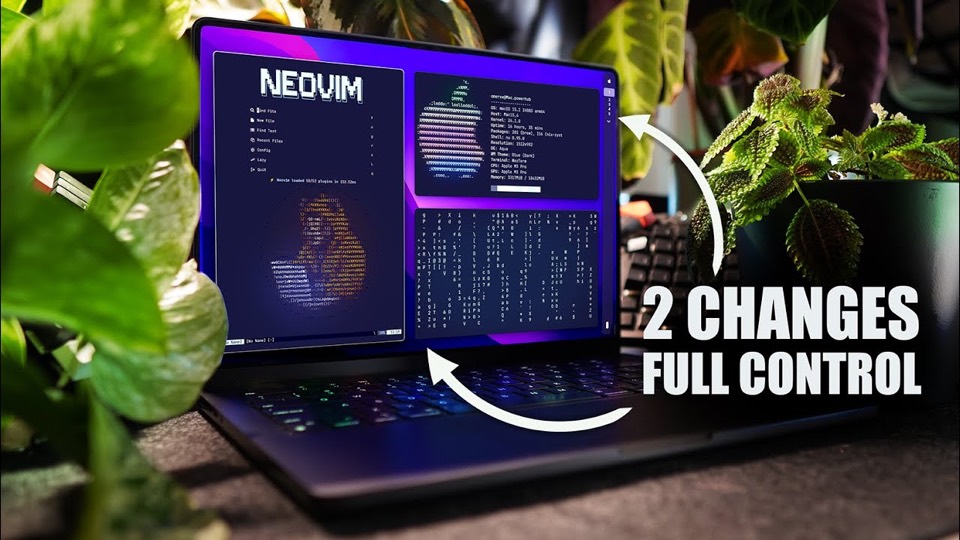
AeroSpace on video
One video covers this app. Each is hosted on YouTube and credited to the channel that made it; the chapters and what the video establishes are on its page.
Questions about AeroSpace
Do I have to disable SIP to use it?
No. The developer states that AeroSpace uses only one private API, to get the window ID of an accessibility object, and that it will never require disabling System Integrity Protection. That is one of the project's stated values, and the reason it can be installed on a managed Mac.Editorially reviewed
Why does it not use macOS Spaces?
Because the developer considers them too limited to build a tiling window manager on. AeroSpace emulates its own virtual workspaces instead, which is why switching is instant and why anything expecting native Spaces behaves differently.Editorially reviewed
Is it stable enough to use every day?
The README says it can be used as a daily driver while still being in public beta, and that breaking changes should be expected until 1.0. So yes, with the caveat attached — expect to adjust configuration when a release changes something.Editorially reviewed
Why does macOS warn about it?
The app is not notarised, and the developer states that plainly rather than working around it. Installing through the Homebrew cask avoids the warning because the cask removes the quarantine attribute; the README explains this in a note.Editorially reviewed
Is there a preferences window?
No, and the developer states there never will be one. Configuration is a plain text TOML file, on the argument that editing a file is faster than navigating checkboxes for the users this targets.Editorially reviewed
Which macOS version do I need?
The binary runs on macOS 13 or later. Building a release from source is supported on macOS 15 or later, and a debug build from source on macOS 14 or later.Editorially reviewed
Alternatives to AeroSpace
Apps that could replace this one — the same job, a different trade-off.

Magnet
Window manager that keeps your workspace organized.
Magnet is the shortcut-snapping approach — a few hotkeys that push a window to a half or a corner — which is the lighter option for people who do not want a tiling model at all.
Compared with
Head-to-head comparisons Nuanyue has published.
yabai
Tiling window manager for macOS with binary space partitioning.
Both tile windows on macOS from the keyboard, but yabai integrates with native Spaces and goes as far as private APIs and code injection, while AeroSpace emulates its own workspaces and never requires disabling SIP.
Amethyst
Automatic tiling window manager for macOS, modelled on xmonad.
Amethyst applies one of eleven automatic layouts and is configured through a GUI; AeroSpace uses a tree you arrange yourself, a TOML file and a CLI.
Works well with
Not a replacement — apps commonly used alongside this one.

BetterTouchTool
Customize gestures, shortcuts, and input actions across trackpads, mice, and keyboards.
AeroSpace owns layout and workspaces but deliberately provides almost no gestures or input customisation; BetterTouchTool is where the trackpad and keyboard gestures come from.
Links
Sources
Facts on this page are checked against the sources below. Last updated , last reviewed .