The player could not load. Watch it on YouTube instead.
Thirteen Mac apps one person uses every single day
13 Mac Apps I CAN’T Go a Day Without!
About this video
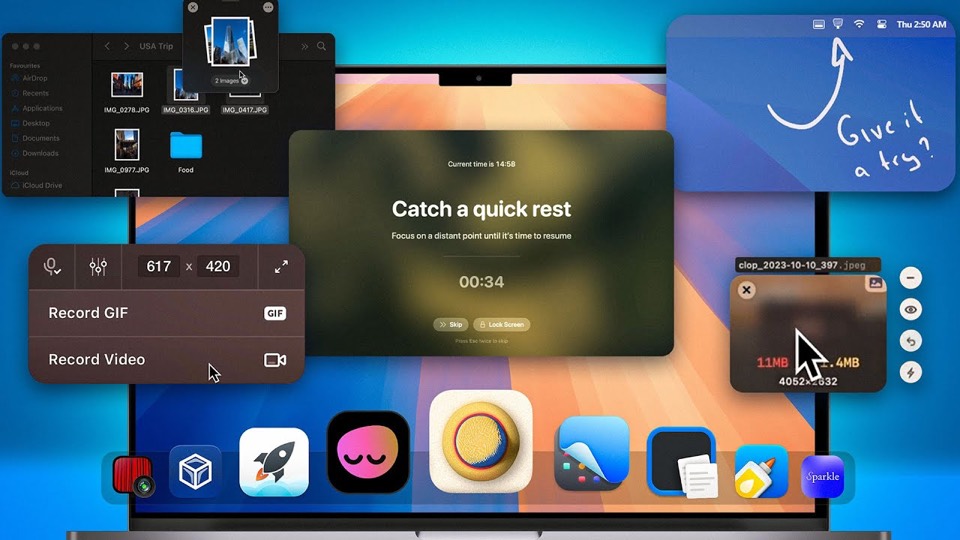
Sixteen minutes for thirteen apps, with the chapters written as outcomes rather than names: this app helps reduce eye strain, I save tons of space with this compressor, I ditched QuickTime Player for this. The list runs from eye breaks and file organisation through a compressor, menu-bar cleanup, a video player, a time tracker, a launcher, a clipboard manager, screenshots and a colour picker.
The chapter names are written as outcomes rather than app names, and that changes how the video is watched: you can find the section relevant to you without knowing any of the software in it. Most lists of this kind make you sit through a name you have never heard before telling you whether you need it.
The two ends of the list are the interesting part. It opens with an app that reminds you to look away from the screen, and at 7:57 it calls a time tracker the most important app on the list. For a video about productivity software, spending two of thirteen slots on not working is a position, and the video states it plainly rather than hiding it among the utilities.
The middle is the working core. Dropover at 2:13 for moving files, Clop at 4:06 for compressing what you copy, Ice at 5:33 for the menu bar, IINA at 7:19 for video playback, Alfred at 9:30 for everything else. Alfred gets over three minutes, the longest section by a wide margin, and that is the ranking the rest of the list implies — it is the app the others are opened from.
The last four are small and specific: a clipboard manager at 12:45, CleanShot X at 13:35 for screenshots, Rocket at 14:48 for emoji, and a colour picker at 15:24. That tail is what makes the list credible. Anyone can name a launcher and a video player; the apps at the end are the ones that come from years of small irritations, and they are the reason the video is called “a day without” rather than “the best”.
What it covers
- Alfred gets over three minutes at 9:30, the longest section in the video, which is the ranking the rest of the list implies.
- The eye-strain app opens at 0:00 and the time tracker is called the most important app on the list, so two of the thirteen are about not working constantly.
- IINA at 7:19 is described as replacing QuickTime Player, which is the only entry that displaces a built-in app rather than adding to one.
- The last four entries — clipboard history, screenshots, emoji, colour codes — are small and specific, and they are what separates the list from a generic round-up.
Chapters
Chapter times are the creator's own list, published in the video description.
Apps in this video
 DropoverTemporary shelf for collecting and moving dragged files, text, and links.
- ClopClipboard optimizer for macOS
- IceMenu bar manager for hiding icons and organizing layouts.
 IINANative macOS video player built on mpv.
- RizeAI time tracker that helps you focus and build better work habits.
 AlfredLauncher and automation tool with workflows and snippets.
 CleanShot XDiscover a superior way to capture your Mac's screen.
- RocketMakes typing emoji faster and easier using Slack-style shortcuts.
 PikaAn open-source color picker app.