The player could not load. Watch it on YouTube instead.
Ten Mac apps that make the day go faster
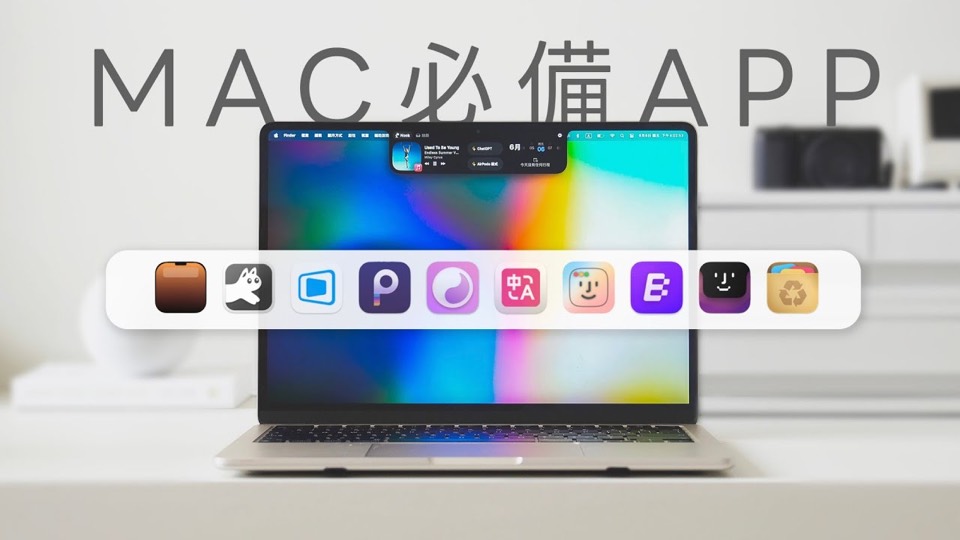
Mac 必備 10 個好用 App,輕鬆提高使用效率|塔科女子
About this video
Thirteen minutes, ten apps, each with a short demonstration rather than a feature list: Folder Hub for reaching folders from the menu bar, NotchNook for the notch, DeskIn for remote access, Blip for sending files between devices, RunCat for system load, Umbra for light and dark mode, Immersive Translate in Safari, PasteNow for the clipboard, DockDoor for windows, and AppCleaner for uninstalling. Published in June 2025.
The chapter times are the honest part: some entries get ninety seconds, one gets twenty-six. That unevenness is what a recommendation video looks like when the creator actually uses the apps — the ones with a demonstration worth watching run long, the ones that do one obvious thing are over quickly.
The spread is deliberately broad. Two entries are about reaching things without the mouse: Folder Hub puts folders in the menu bar, PasteNow keeps a clipboard history. Two are about moving data: DeskIn for a remote desktop session, Blip for sending a file to another device. Two change how the system looks or behaves: NotchNook takes over the notch, Umbra switches light and dark mode with the wallpaper. RunCat turns system load into an animation, DockDoor adds window previews to the Dock, Immersive Translate sits in Safari, and AppCleaner removes apps along with the files they leave behind.
NotchNook and DockDoor are the two that most clearly exist because of a gap in macOS itself — the notch has no built-in use beyond housing the camera, and the Dock has never shown what is inside a window. AppCleaner closing the list at 12:10 is a good last note: dragging an app to the Trash leaves its preferences and caches behind, and this is the utility that has handled that for long enough to be the default answer.
Seven of the ten have no page on Nuanyue, so this record links only the three that do. The video is from June 2025, so treat the picks as a record of what was worth recommending then rather than a list that has been re-checked since.
What it covers
- Every entry gets a demonstration of a use, not a list of features, and the chapter times are uneven on purpose — NotchNook gets a minute and a half, Umbra twenty-six seconds.
- Three of the ten fill gaps in the menu bar or the notch, which is where macOS gives a heavy user the least room.
- AppCleaner closes the list at 12:10 because uninstalling is the one job macOS still does badly on its own.
- Seven of the ten apps have no page on Nuanyue, so only NotchNook, DockDoor and AppCleaner are linked from this record.
Chapters
Chapter times are the creator's own list, published in the video description.